
Category: Blog

Your blog category

  • Why Getting Security Categorization Right Matters from the Start

    Why Getting Security Categorization Right Matters from the Start

    When building or maintaining a system, one of the first and most critical steps in the security process is something called security categorization. This step is often done early in the system development life cycle—but why is it so important?

    The simple answer is:

    Security categorization determines the security requirements of the system.

    Let’s break down what that means—and why it matters so much.


    What Is Security Categorization?

    Security categorization is the process of figuring out:

    • What kind of data the system will handle
    • How sensitive that data is
    • What impact it would have if that data were lost, leaked, or tampered with

    This assessment helps decide if the system should be protected at a low, moderate, or high security level.


    Why It Must Be Done Correctly

    If you categorize too low, your system may lack the protections it needs—leaving you open to data breaches, system failures, or legal trouble.

    If you categorize too high, you might waste time and money on unnecessary security controls that slow down operations.

    In both cases, the system won’t meet the actual security needs of the organization.


    What Happens After Categorization?

    Once the system is categorized, the next steps depend on it:

    • What kind of security controls will be applied
    • How the system will be tested and certified
    • How it will be monitored and maintained over time

    That’s why the initial categorization decision drives the entire security planning process.


    Real-World Example

    Let’s say you’re building a system to store:

    • Employee lunch orders → Low impact
    • Patient medical records → High impact

    You obviously wouldn’t want to protect both systems the same way. Categorizing them properly ensures that the medical system gets encryption, access controls, and auditing—while the lunch app doesn’t get weighed down with unnecessary red tape.


    Final Thought

    Security categorization is like setting the foundation for a building. If it’s done wrong, everything built on top of it could be unstable. But when it’s done right, it gives the project a clear direction and ensures the system is protected based on what’s truly at risk.

    Get it right early—and review it regularly. It’s a simple step that can save big headaches later.
  • Why Key Risk Indicators (KRIs) Are Essential for Strategic Success

    Why Key Risk Indicators (KRIs) Are Essential for Strategic Success

    In today’s fast-moving world, organizations can’t afford to wait for problems to explode before taking action. Whether it’s a data breach, financial instability, or compliance failure, the cost of being unprepared is too high. That’s why Key Risk Indicators (KRIs) play such a critical role in strategic risk assessments.


    What Are KRIs?

    Key Risk Indicators are like warning lights on your car’s dashboard. They signal when something might be going wrong—before it actually does.

    KRIs are measurable metrics that show rising levels of risk in areas that matter most to your business, such as:

    • Cybersecurity
    • Finance
    • Operations
    • Compliance
    • Reputation

    They don’t just tell you what happened—they help you predict what might happen next.


    Why KRIs Matter in Strategic Risk Assessments

    A strategic risk assessment focuses on the big picture:

    “What risks could stop our company from reaching its goals?”

    KRIs help answer this question by:
    ✅ Showing trends that point to potential trouble
    ✅ Helping leaders make proactive decisions
    ✅ Guiding resource allocation to fix issues early

    For example, if your KRI shows a steady rise in failed login attempts on your network, that’s a red flag for a possible security breach—one you can act on before any real damage is done.


    KRI Examples Across Different Areas

    AreaExample KRIWhy It Matters
    CybersecurityNumber of firewall rule changesToo many changes may indicate poor control or ongoing threats
    FinanceDecline in cash reservesCould signal financial instability or overspending
    OperationsIncrease in system downtimeMay affect service delivery or customer trust
    ComplianceNumber of missed audit deadlinesCould lead to fines or reputational harm

    Each KRI ties directly to the success—or risk—of the organization’s goals.


    KRIs vs. Other Risk Terms

    TermPurpose
    KRITracks early warning signs of potential risk
    KPI (Key Performance Indicator)Measures how well you’re achieving business goals
    Threat AnalysisIdentifies potential external dangers
    Vulnerability AnalysisFinds weak spots in systems or processes

    While threat and vulnerability analysis are vital, KRIs monitor risk over time, offering a continuous pulse on your organization’s health.


    Final Thoughts

    Key Risk Indicators are more than just data points—they’re tools for smart decision-making. They allow leaders to see trouble coming, adjust strategy early, and avoid surprises that could damage the organization’s success.

    In short, if you want to stay ahead of risk, you need to pay attention to your KRIs. They’re your strategic radar—and they help keep your business flying safely forward.

  • SDN and Security: The Hidden Risk of a Bigger Attack Footprint

    SDN and Security: The Hidden Risk of a Bigger Attack Footprint

    Software-Defined Networking (SDN) has become a game-changer in modern network design. It allows organizations to control their networks more efficiently by separating the control plane (the brains of the network) from the data plane (the part that moves packets). This makes networks more flexible, programmable, and scalable.

    But with this innovation comes a major security concern:

    SDN increases the attack footprint.

    Let’s explore what that really means and why it matters.


    What Is an Attack Footprint?

    An attack footprint (or attack surface) is the total number of possible entry points an attacker could use to access, disrupt, or control your system. The more components, interfaces, and communication channels you have, the more opportunities a hacker has to find a weak spot.

    In SDN, this attack footprint grows significantly compared to traditional networks.


    How SDN Expands the Attack Surface

    Here are the main ways SDN increases your exposure to cyber threats:

    1. The Controller Becomes a Prime Target

    The SDN controller manages all routing decisions for the network. If compromised, an attacker could:

    • Redirect traffic
    • Eavesdrop on data
    • Disrupt services across the entire network

    In other words, it’s a single point of failure.

    2. More Interfaces and APIs to Secure

    SDN relies heavily on APIs to communicate between applications, controllers, and network devices. While powerful, each API is a door—and every door needs a lock. Poorly secured APIs are a favorite target for attackers.

    3. Dynamic and Complex Environments

    SDN enables faster changes to network configuration. While this is great for business agility, it also means that:

    • Mistakes can spread quickly
    • Monitoring becomes harder
    • Misconfigurations may go unnoticed

    4. Greater Integration = Greater Risk

    SDN systems often interact with cloud platforms, orchestration tools, firewalls, and other security solutions. Each integration point can become a vulnerability if not properly secured.


    Common Misunderstandings About SDN Security

    MythReality
    “SDN is decentralized, so it’s safer.”❌ False. SDN centralizes control into a single controller.
    “Using open-source tools makes it less secure.”❌ Not necessarily. Open-source tools can be secure if managed properly.
    “SDN is risky because it’s cloud-based.”❌ SDN can be on-prem, cloud, or hybrid. The risk isn’t the cloud—it’s how the system is protected.

    How to Protect Your SDN Environment

    You don’t need to avoid SDN to stay secure—you just need to be proactive. Here’s how:

    Harden the SDN controller: Use firewalls, access controls, and multi-factor authentication.
    Encrypt all communications between SDN components.
    Secure all APIs: Use authentication, rate limiting, and regular audits.
    Log and monitor activity across the entire SDN ecosystem.
    Patch regularly and stay up to date with vendor advisories.


    Final Thoughts

    SDN offers real advantages: agility, automation, and efficiency. But it also increases your attack footprint by introducing more components and centralized control.

    Understanding this risk is the first step. Planning for it is the second. By putting strong security practices in place, organizations can enjoy the benefits of SDN—without opening the door to new threats

  • When Vulnerability Reports Get It Wrong: The Critical Role of Scanning

    Imagine hiring a security firm to assess your systems, only to receive a vulnerability report filled with issues that don’t even apply to your environment. For example, the report lists Windows-specific flaws—except your systems run on Linux. What went wrong?

    In cases like this, the scanning phase of the vulnerability assessment is usually to blame.


    The Backbone of Every Assessment: Scanning

    Scanning is one of the first—and most important—steps in a vulnerability assessment. It’s when automated tools reach out to your systems to gather basic information like:

    • What operating system (OS) is being used
    • Which ports are open
    • What services are running
    • What software versions are installed

    This information forms the foundation for the entire assessment. If scanning gets it wrong, the rest of the report will likely be wrong too.


    How Scanning Errors Happen

    Here are some common reasons a scan might misidentify your OS or services:

    CauseWhat It Means
    Bad fingerprintingThe scanner misinterprets system responses and guesses the wrong OS.
    Network interferenceFirewalls or intrusion prevention systems block scan traffic or distort results.
    Uncredentialed scansThe scanner doesn’t have login access and can only guess based on surface-level details.
    Outdated toolsOld scan engines may not recognize newer OS versions or configurations.

    Once the scanner makes a wrong guess—say, identifying a Linux box as Windows—the assessment tool will map the system against the wrong vulnerability database. That’s how irrelevant or misleading issues end up in your final report.


    Why It’s Not a Report-Writing Problem

    It’s easy to blame errors on the final report, but the writing phase simply summarizes the data. If the data was bad from the start, the report will reflect that. Similarly, the detection and enumeration phases also depend on accurate scanning to function properly.

    That’s why scanning is the most likely point of failure when the wrong OS is identified.


    How to Prevent This in Future Assessments

    • Use credentialed scans: Allow the scanner to log in with read-only access, so it can get reliable system details.
    • Whitelist scanning IPs: Ensure firewalls or endpoint protections don’t block or interfere with scans.
    • Validate the scan output: Have someone on your team review the OS and system info collected before vulnerabilities are mapped.
    • Update scan engines regularly: Keep tools current to ensure accurate fingerprinting of modern systems.

    Final Thought

    The scanning phase might seem routine, but it’s the foundation of your entire vulnerability assessment. If it fails to identify your systems correctly, every recommendation and risk assessment that follows will be shaky.

    Don’t overlook it. Get scanning right—and your security decisions will be based on reality, not guesses.

  • Simulating Insider Attacks: Why White Box Testing Is Your Best Defense

    Simulating Insider Attacks: Why White Box Testing Is Your Best Defense

    In cybersecurity, most people worry about outside hackers—but some of the most dangerous threats come from within. Former employees, especially those with deep system access (like network administrators), can pose serious risks if they decide to act maliciously.

    So, how can organizations test their defenses against someone who already knows the system?
    The answer is simple: White Box Penetration Testing.


    What Is White Box Testing?

    White box testing is a type of penetration test where the tester has complete knowledge of the system—including internal architecture, admin credentials, source code, network layouts, and more.

    Think of it as handing the tester the master key and blueprints to your digital building.

    This method allows the security team to simulate what a trusted insider (like a former IT admin) might do if they decided to exploit the system.


    Why White Box Testing Is Ideal for Insider Threats

    When testing for threats that come from inside your walls, you can’t treat it like an outside hack. Former admins or internal users:

    • Know how the systems work
    • May still have leftover access or credentials
    • Understand where the weak spots are
    • Can avoid triggering basic alarms or alerts

    White box testing lets you recreate this scenario in a controlled, ethical way—so you can see where your defenses hold strong and where they fail.


    How It Compares to Other Tests

    Type of TestKnowledge GivenBest For
    White BoxFull system accessSimulating insider threats
    Grey BoxPartial knowledgeSimulating third-party contractors or former employees with limited access
    Black BoxNo prior knowledgeSimulating outside attackers with no system access
    Functional/Unit TestsNot security testsUsed by developers to check features or code modules—not penetration risks

    Real-World Scenario

    Imagine this:
    A former system administrator leaves your company. Months later, your server starts behaving oddly. You find out an old backdoor account was never removed—and it’s being used to access internal tools.

    A white box test done earlier would have identified:

    • The leftover account
    • Weak password policies
    • Lack of alerts when admin logins occur outside business hours

    That kind of insight could have prevented the incident.


    What to Check in a White Box Test

    • Are former accounts still active?
    • Can someone bypass logging or alerts?
    • Are sensitive systems properly segmented?
    • Are there hardcoded credentials in scripts or apps?

    White box testing digs into these areas because the tester has access—just like a real insider would.


    Final Thought

    You can’t prevent every insider threat—but you can test for them. White box penetration testing is the best way to uncover weaknesses that only someone with inside knowledge would know how to exploit.

    If you’re serious about security, don’t just guard the front door—check what someone could do with the keys. White box testing is how you find out.

  • What It Really Means to “Provide Diligent and Competent Service” in Cybersecurity

    What It Really Means to “Provide Diligent and Competent Service” in Cybersecurity

    Understanding one of the core principles of the (ISC)² Code of Ethics


    When people hear the term “cybersecurity,” they often think of firewalls, encryption, or defending against hackers. But at its core, cybersecurity is about trust—and that trust is built on how professionals behave, especially when handling sensitive systems, data, and responsibilities.

    One of the key values in the (ISC)² Code of Ethics—which guides certifications like CISSP—is:

    “Provide diligent and competent service to principals.”

    Let’s break this down and understand why it matters so much.


    What Does This Principle Mean?

    • Diligent: You take your job seriously. You follow through, double-check your work, and don’t cut corners.
    • Competent: You know what you’re doing. You stay up to date with your skills and apply them correctly.
    • Principals: These are the people or organizations that hired you or depend on your work—your boss, your company, your clients.

    So this rule is saying: “Do your job carefully and skillfully, always keeping your client’s best interest in mind.”


    Why This Is So Important

    Imagine you’re a cybersecurity analyst working for a bank. You’re in charge of protecting customer data and ensuring the online banking system is secure.

    If you:

    • Rush through a vulnerability scan and miss a serious issue
    • Fail to patch a known security hole
    • Let personal biases or outside interests affect your advice

    You’re not just making a technical mistake—you’re breaking ethical trust. You’re failing to serve your principal diligently and competently.


    Real-Life Situations Where This Canon Applies

    1. Protecting Sensitive Information
      You’re responsible for data like employee records or financial transactions. Being careless could lead to a breach.
    2. Avoiding Conflicts of Interest
      Maybe you’re asked to evaluate a vendor that you previously worked for. This is where you must be transparent and step aside if needed.
    3. Being Honest About Your Capabilities
      If you don’t know how to secure a cloud environment, don’t pretend you do. Ask for help or get trained first.
    4. Following Through
      If your job is to audit security logs weekly, and you skip it for a month, you’re not being diligent—even if nothing goes wrong.

    How This Differs from Other Ethical Canons

    CanonFocus
    Provide diligent and competent service to principalsFocuses on your duty to clients and employers.
    Act honorably and legallyFocuses on personal honesty and lawful conduct.
    Advance the professionFocuses on helping grow the field and mentoring others.
    Protect societyFocuses on broader impacts beyond your company or client.

    Each canon matters, but this one is all about how well you do your job and who you’re doing it for.


    Final Thought

    Cybersecurity isn’t just about technology—it’s about responsibility. When you “provide diligent and competent service,” you’re showing that your clients and stakeholders can trust you with their most valuable digital assets.

    It’s not just a guideline—it’s a promise. One that every ethical professional should be proud to keep.

  • When to Update Your Threat Model: Why New Data Repositories Matter

    When to Update Your Threat Model: Why New Data Repositories Matter

    In cybersecurity, a threat model is like a map that shows where your sensitive assets are, what could go wrong, and how you plan to protect everything. But here’s the catch: if your systems change, your map can quickly become outdated.

    One of the most important—and often overlooked—times to update your threat model is when you add a new data repository.


    Why a New Data Repository Changes Everything

    Adding a new place to store data (like a cloud bucket, database, or shared drive) might seem like a routine step in application development. But behind the scenes, it introduces several big changes:

    Change IntroducedWhy It Matters
    New data locationMore places for sensitive information to live means more points to secure.
    Different access rulesNew users, apps, or third-party tools may now need permissions.
    Integration with other systemsMore connections = more opportunities for data leaks or misconfigurations.
    New compliance requirementsStoring data in certain locations (like across borders or in cloud environments) may trigger privacy or regulatory concerns.

    All of these shifts can expose new risks—risks your old threat model may not cover.


    What Is a Threat Model, Anyway?

    A threat model helps teams understand:

    • What assets need protecting (like customer data or payment info)
    • Who might try to attack them (hackers, insiders, etc.)
    • How those attacks might happen (phishing, unauthorized access, malware)
    • What defenses are in place (encryption, firewalls, access controls)

    If you don’t update the model after big changes, you’re working with blind spots.


    Triggers That Don’t Always Require a Full Model Update

    • Patching the operating system – It’s good practice, but doesn’t usually affect architecture.
    • Hiring a new developer – Affects team structure, not system design.
    • Changing firewall rules – Important for security, but typically not major unless it opens up access to new systems.

    These activities matter—but they don’t fundamentally change how your application stores or handles sensitive data the way a new repository does.


    What to Do When You Add a New Repository

    1. Update your threat model
      Review where data is going, how it’s accessed, and what new threats it introduces.
    2. Review access controls
      Make sure only the right users or systems can touch the data.
    3. Apply encryption and backups
      Don’t assume the repository is secure by default—harden it.
    4. Monitor and log activity
      Keep an eye on who’s accessing the new data and when.

    Final Thought

    A threat model is not a one-and-done document. It should grow and evolve alongside your systems. Whenever you introduce a new data repository, you’re creating new opportunities—and new risks. Take time to update your threat model so your security stays one step ahead.

  • The First Rule of Digital Evidence Collection: Capture What Disappears Fastest

    When investigators arrive at a digital crime scene—say, a hacked server or compromised laptop—the clock is ticking. Some evidence disappears quickly, while other data can sit safely for days or weeks. That’s why the first step a forensic examiner should take is to establish the order of volatility.


    What Is “Order of Volatility”?

    Volatility refers to how quickly data can change or vanish.

    Type of DataVolatility (How Fast It Can Disappear)
    RAM (memory)Extremely volatile—gone once the system is powered off
    Network connections & active sessionsChange constantly; may disappear in seconds
    Temporary files or system logsMay be overwritten or rotated within hours
    Hard drive contentsRelatively stable—can last days, weeks, or more
    Backups and archived filesLeast volatile—can last indefinitely

    So, when collecting digital evidence, start with the most volatile items first to make sure you don’t lose them.


    Why This Step Comes First

    1. You only get one chance to collect memory or live session data. Once the device is turned off or rebooted, it’s gone forever.
    2. It protects the integrity of your investigation by ensuring critical, time-sensitive data is preserved early.
    3. It helps organize the collection process logically and defensibly—especially important if evidence ends up in court.

    What NOT to Do First

    • Don’t jump into collecting physical hardware (like unplugging a computer) before capturing memory.
    • Don’t start sorting files or logs before you’ve secured what can vanish instantly.
    • Don’t assign tasks to others until the most sensitive data is locked down.

    Key Takeaway

    When handling a digital crime scene, always begin by identifying and capturing the most volatile evidence—like RAM and network activity. That simple decision can mean the difference between solving the case… or losing the evidence forever.

  • Why Security Awareness Matters More Than You Think

    Why Security Awareness Matters More Than You Think

    In the scenario shown, a new employee reports suspicious behavior—someone asking strange questions about work locations, building access, and employment details. This kind of reporting is not because the employee is a security engineer or because phishing occurred. It’s because they were trained to recognize and report suspicious activity.

    That’s called Security Awareness.


    What Is Security Awareness?

    Security awareness is a company’s effort to teach employees how to spot and respond to threats like:

    • Suspicious emails
    • Unusual questions from outsiders
    • Tailgating at secured doors
    • Unauthorized use of devices or badges

    The goal is to turn every employee into a “human firewall”—someone who knows enough to sound the alarm when something feels off.


    Why It Works

    BenefitExample
    Quick detectionA trained employee spots social engineering attempts before damage is done.
    Reduces riskEmployees are less likely to click bad links or share private info.
    Creates a security cultureReporting odd behavior becomes normal—not ignored.

    Key Point

    In this case, the employee didn’t block a hacker, but they noticed that something was wrong and knew what to do about it. That’s exactly what a good security awareness program is designed to create—people who are alert, informed, and ready to report.

    Bottom line:
    Technical tools are great, but the first—and often best—line of defense is an alert human who knows what suspicious behavior looks like and isn’t afraid to speak up. That’s the power of security awareness.

  • What Is a Cold Site in Disaster Recovery?

    What Is a Cold Site in Disaster Recovery?

    Understanding the backup option that gives you space—but not the gear


    The Scenario

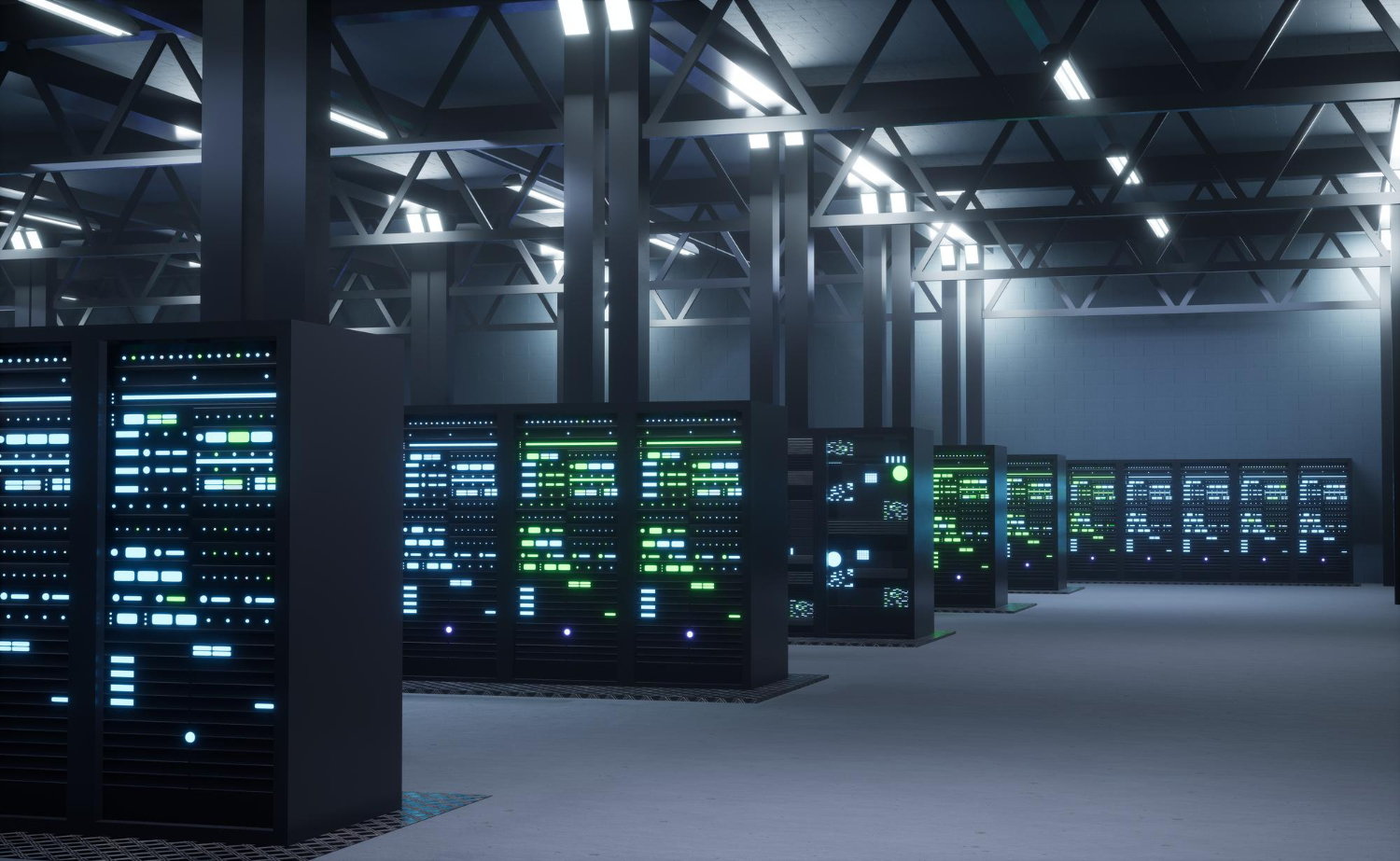
    Imagine your company’s data center suddenly goes offline due to a fire or flood. You need a place to start rebuilding operations. One option is to use a cold site—a backup facility that provides the basic environment but not the actual equipment.


    What a Cold Site Includes

    ✅ Power supply
    ✅ Climate control (air conditioning, etc.)
    ✅ Raised floors (to support server infrastructure)
    ✅ Telephone/network cabling
    ✅ Physical space

    ❌ No computers, servers, or software
    ❌ No data or backups already installed

    You bring your own hardware and restore your systems yourself.


    When a Cold Site Is Used

    Cold sites are often used by companies that:

    • Want a low-cost recovery option
    • Can tolerate longer downtime while equipment and data are brought in
    • Have detailed recovery procedures and the team to execute them
    • Don’t need real-time operations restored immediately

    How It Compares to Other Recovery Sites

    Site TypeWhat It ProvidesCostRecovery Speed
    Cold SiteJust the building and power💲 (Cheapest)🐢 (Slowest)
    Warm SiteBuilding + some equipment, maybe old data💲💲🐇 (Medium)
    Hot SiteFull hardware + up-to-date data, ready to go💲💲💲 (Most expensive)🚀 (Fastest)

    Key Takeaway

    A cold site gives you a space to start over—but you bring the tech and data. It’s budget-friendly, but not time-friendly. If your business can afford a longer recovery window, it might be a smart backup plan. If not, consider a warm or hot site for faster bounce-back.